
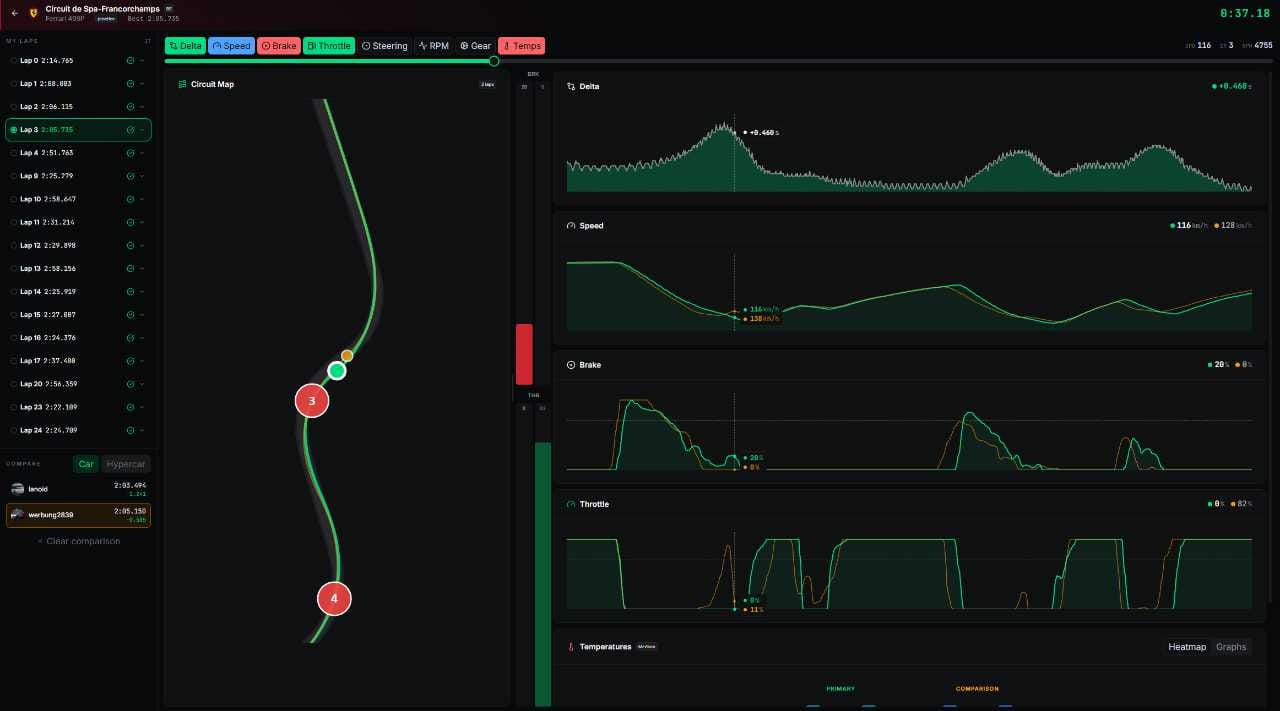
We wrote recently about an AI-based app for iRacing that makes it easier to understand how to go faster. Pit Delta is only for iRacing, but LMU Trace, however, focuses on Le Mans Ultimate.
What is LMU Trace?
If you've ever used any sort of Telemetry app or service like VRS, Garage 61, Motec, etc., then you'll know that having a bunch of graphs telling you a pile of info which means nothing if you don't first understand what everything means, and without comparative data, you're just competing with yourself.
LMU Trace addresses these issues by giving you the option of comparing your data with other drivers on the platform. Data gets uploaded via their app that must be installed on Windows. It then creates beautiful graphs and charts showing your data compared to another driver that makes it quite easy to see exactly where you're losing time.
For example, the speed graph will show the speed differences where you are slower through corners compared to the other driver. You can then try to reduce this delta by trying to improve your cornering speed. To achieve this, we recommend looking at your driving first before making setup changes. For example, make sure you're using all of the track on entry and corner exit. Ensure that your racing line is optimised. Sometimes braking too late for a corner is a lot worse than braking a fraction earlier. What would have been nice is if LMU Trace gave you these types of suggestions when you are analysing your data.
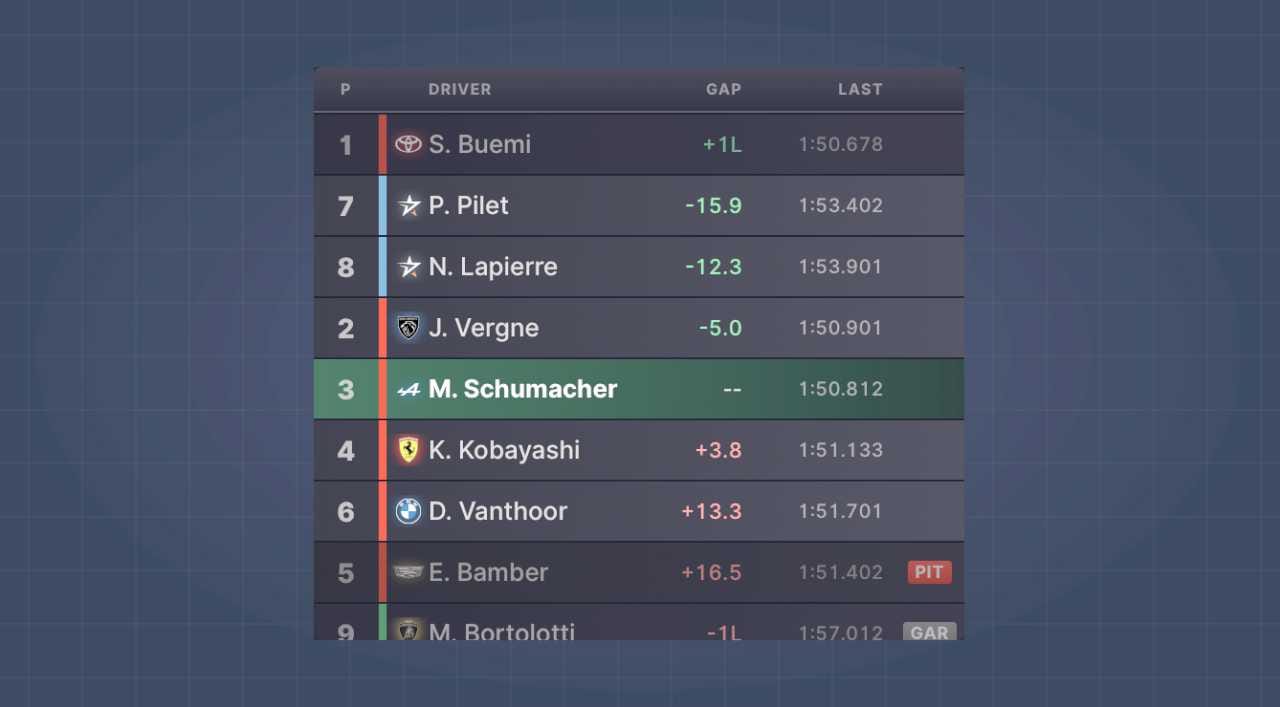
Besides the telemetry, which is LMU Trace's main claim to fame, they also offer overlays like a track map, pedal inputs, standings, etc. Overall, LMU Trace offers a good amount of services that we think justify the price tag.
Pricing
LMU Trace is currently free during its beta phase, but it will move to the typical subscription model at €4.99 a month or €199 for a lifetime membership.
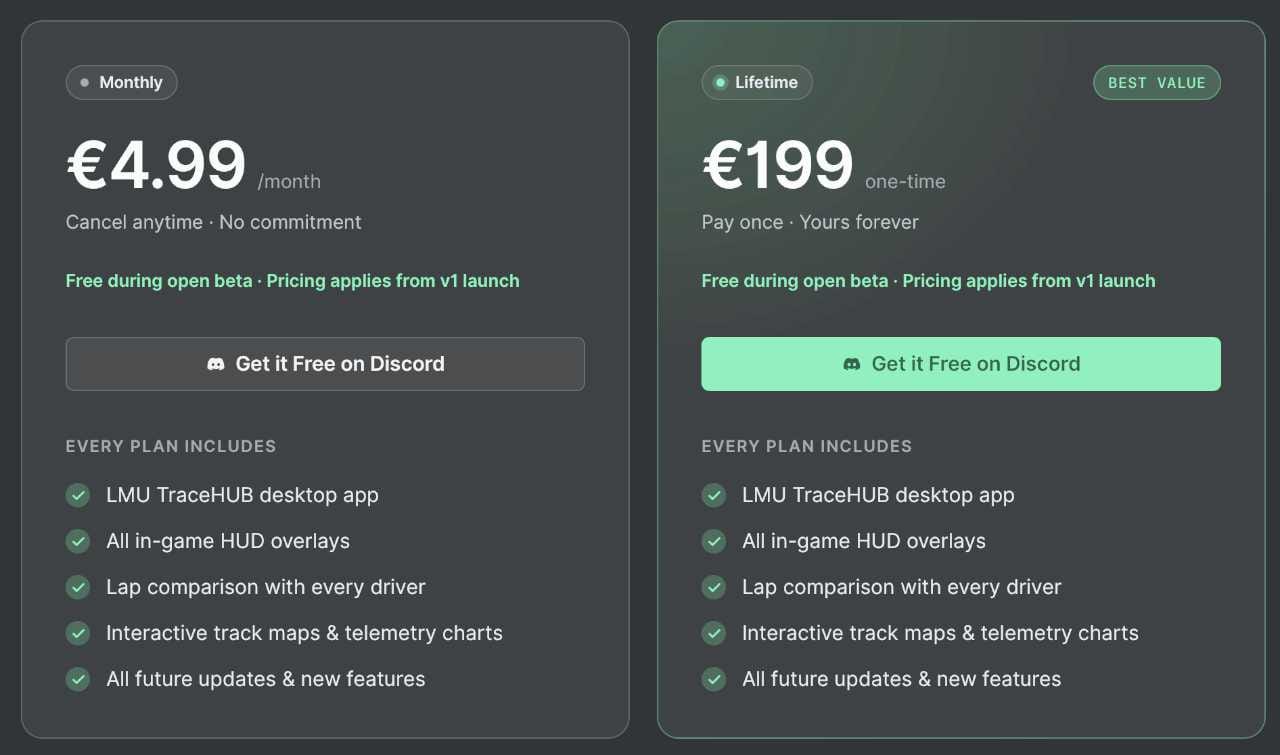
One additional feature you receive with your membership is the ability to vote for upcoming features. For example, a Pit Stop Delta widget is on the road map, and if it receives enough votes to move it up to the priority list, then the developer will ensure that this feature will be the next to ship.
Final thoughts
We see LMU Trace as a nice tool for drivers who are trying to improve but are struggling to find specific areas to work on. We suggest that you try it out during this free phase and see if it works for you.
We think that Motec is a good free option and worth the few minutes it takes to set up and achieve similar results to LMU Trace. Motec is more manual, but LMU Trace takes care of the heavy lifting by automatically uploading your data and creating the comparative information with essentially zero effort from you.
You could get similar results for free by using Motec for telemetry and other overlays like Racelab (the free tier), but LMU Trace bundles it all together quite nicely. We would love it if they could provide car setups as part of the subscription, but maybe that will be [a part of a future feature.
